
Choosing a streaming plan starts with the channels and programmes you actually watch, not the biggest advertised library. If you want local or international viewing, sport, films or series, the right choice depends on your household and how you watch. Plans can differ in content, supported screens and the number of people who can watch at once.
Compare the channel selection, device fit, connection quality and terms before you decide. A large catalogue is of little use if your preferred programmes are missing or the player will not run on your television. Look at the total commitment as well as the advertised features, and consider whether everyone in your household can watch when they want.
A good first comparison is whether the service supports your preferred screen and the content you want to watch. That gives you a practical starting point for weighing plans, without assuming that a popular label or a long channel list means a better fit.
Key Takeaways
- Start with the programmes you watch.
- Check channels and content availability.
- Match the player to your screen.
- Consider connection quality at home.
- Read the plan terms before paying.
How IPTV for Australia Works
IPTV carries television streams to your screen through your internet connection instead of a cable or satellite feed. The route is simple: a provider sends a stream through your home network, and an IPTV player displays it on a television or another screen.
IPTV describes how television is delivered, not which channels a service carries. The app, playlist and stream must work together, but having a player or a login does not promise particular programmes.
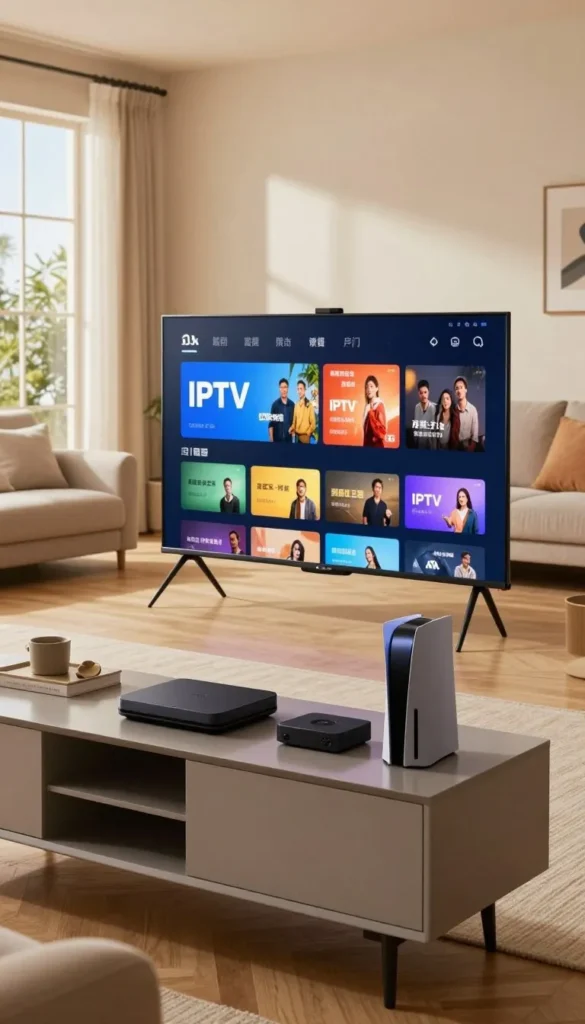
From an internet stream to your screen
Your provider makes streams available over the internet. Your router passes the data to the connected device, where an IPTV player presents the picture and sound. The player may use an account login or an M3U playlist, depending on the service and the player’s supported formats.
The stream travels through the same home internet connection used for other online activity. That means the picture can be affected by the network, the device and the stream itself. IPTV Australia services can use different apps and account formats, so the delivery method alone does not tell you how a particular offer works.
An IPTV player or playlist is not proof that a service has permission to distribute its channels or programmes.
Live channels and on-demand viewing
Live channels show scheduled broadcasts, such as a news bulletin that airs at a set time. VOD means Video on demand is a library of programmes you can select and play when you choose, rather than watch at a scheduled broadcast time.
A film selected from a VOD library is different from a film shown at a scheduled time on a live channel. Some services offer both types of viewing, while others may focus on one. The labels and available programmes depend on the service, not on IPTV technology itself.
Check whether you want scheduled live viewing, an on-demand library or both before comparing services.
How to Check Whether an IPTV Service Is Licensed
IPTV technology is legal in Australia, but a provider also needs rights to the content it streams. The distinction matters: lawful delivery technology does not give an IPTV provider permission to distribute every channel, film or programme.
Assess the service’s content rights separately from the app or playlist it uses. Look for clear information about the business operating the service, its licensing and a reliable way to contact it.

A service should be able to explain what content it is authorised to provide. Check whether its terms identify the operator and describe the service, rather than relying on broad claims about a large channel list. A named business and working contact route help you understand who is responsible for the offer.
Australian courts can order unlicensed services to be blocked. If that happens, access to channels or programmes may be disrupted, even if you have installed an app or received a playlist. A payment or successful activation does not establish that the provider holds content rights.
Some services use names that resemble well-known networks or competitions. A familiar label in a menu does not, by itself, show that the provider can distribute that content in Australia. Read the service description and terms carefully before treating a channel name as a promise of authorised access.
Keep the focus on the specific channels and programmes you intend to watch. A provider’s ability to deliver a stream is a technical matter; its right to distribute that stream is a separate question. If a provider cannot clearly explain its content rights, do not treat an app or playlist as proof of permission.
Which Channels and On-Demand Content Matter to You?
Start by naming the channels you and your household would miss most if they were unavailable. Your regular viewing gives a better measure of fit than a headline count of channels or movies.
Check the current channel list against your own priorities before you compare catalogue size. Australian free-to-air examples include ABC, SBS, Seven Network, Nine Network and Ten Network, though availability depends on the service and its content rights.
Local and international channel selection
Use a short checklist to make the comparison concrete:
- Local news and free-to-air networks you watch.
- International channels and the languages you need.
- Children’s and family programming for your household.
- Genres you regularly watch, such as drama or comedy.
- Programme guide details and channel-list accuracy.
International channels can add language and regional options, but the names alone do not tell you whether the service carries the programmes you expect. Check the current listing and whether the guide shows useful programme information.
Films, series and catch-up libraries
Films and series in a VOD library are selected separately from live channels. Check whether the catalogue includes titles you recognise and whether current episodes, subtitles or catch-up viewing are explicitly included. A broad label such as “movies” does not tell you which titles are available.
Catch-up may let you play selected programmes after their scheduled broadcast, but it is not the same as a live channel or a general VOD library. Availability can differ by programme and rights. Confirm that the channels you care about appear in the service’s current list before paying.
What Should Sports Fans Check Before Subscribing?
Sports fans should check coverage by competition and event, not just by a provider’s claim to include sports channels. Specific fixtures count: a sports label may not tell you whether the match you want is available.
A channel listing does not guarantee rights to every event, match or replay. Check access for the event itself, including any separate restrictions that may apply to live sports or sports entertainment.
Start with the competitions you actually follow, then check the named events rather than relying on a general category. Your shortlist might include local codes, overseas leagues and events that have separate access conditions.
- AFL and NRL fixtures you plan to watch.
- Cricket and rugby matches, including key series.
- A-League games and Premier League fixtures.
- UFC and boxing events, including pay-per-view bouts.
Check whether the relevant channel is listed, whether it carries the event and whether a replay is available afterwards. These are three different checks. A provider might list a channel without offering every fixture, or show an event live without including a replay.
Event times matter when you are comparing a schedule with your own routine. Look for the match or event name and the time it is due to start. Overseas competitions can fall at inconvenient hours in Australia, so a replay or catch-up option may matter as much as live access.
A sports package name does not settle whether an event is included. Review event-specific access before relying on a broad claim about sports coverage, particularly for a pay-per-view event or a match you do not want to miss.
Verify the next match or event you plan to watch, including whether it is live, replayed or separately restricted.
Which IPTV Package Type Fits Your Household?
The right package is the one that covers your viewing priorities without making you pay for categories you will not use. Match the contents to the programmes your household watches, rather than choosing by the package label.
Basic, Family, Sports and Premium are labels, not guarantees of particular channels or titles. The actual list and viewing rights determine what a package provides.
Packages for everyday and family viewing
A Basic package may be organised around essential channels or a smaller selection of viewing. A Family package may group household-oriented categories, such as children’s programmes and general entertainment. The names signal a possible focus, not a fixed content standard.
Read the channel and VOD lists to see whether the package covers the interests of different household members. A family label does not guarantee children’s content, and a basic label does not tell you which local or international channels are included.
Packages built around sport or premium content
Sports-focused and Premium labels can organise a service’s content, but they do not confirm access to every competition, film or series. Check the named categories and titles you want, including whether live sport, replays and VOD are part of the offer.
| Package label | Typical viewing priority | What to verify |
|---|---|---|
| Basic | Essential channels | Exact channel list and rights |
| Family | Household viewing | Children’s and family titles |
| Sports | Live sports | Competitions, events and replays |
| Premium | Broader entertainment | Included channels and VOD titles |
Two services can use the same label and offer different content. Use the table as a way to frame your questions, then compare each provider’s actual list. A package with fewer categories can be a better fit if it covers your regular viewing.
Compare the included content list, not the package name, before deciding what fits your household.
How Long Should Your Subscription Run?
Choose a subscription term based on how certain you are that the service suits your content, device and household. A shorter term limits how long you commit, while a longer term can ask you to pay more upfront.
Connections count simultaneous streams, not the number of devices where you install an app. A plan may allow 1, 2 or 3 connections, depending on the offer.
Available term examples include 1, 3, 6 and 12 months, but the choices depend on the offer. A television, phone and tablet can each have a player installed, yet that does not mean all three can stream at once.
| Term | Payment period | Connections to check | Useful comparison |
|---|---|---|---|
| 1 month | Monthly, if offered | Allowed simultaneous streams | Availability varies; compare the limit |
| 3 months | Three-month term, if offered | Allowed simultaneous streams | Availability varies; compare the limit |
| 6 months | Six-month term, if offered | Allowed simultaneous streams | Availability varies; compare the limit |
| 12 months | Twelve-month term, if offered | Allowed simultaneous streams | Availability varies; compare the limit |
A shorter plan can suit you while you are still judging the service. A longer plan can mean a larger upfront payment and a longer commitment, so compare those terms with your confidence in the offer.
Count how many screens your household expects to use at the same time, rather than counting every device you own. If more than one person will watch at once, confirm the plan’s connection limit before paying.
What Determines the Real Cost of an IPTV Subscription?
Compare the amount you will actually pay for the full term, not only a monthly equivalent shown in an offer. The upfront total can be much larger than a monthly figure suggests when the plan charges for several months at once.
Check the currency, total due today and renewal terms before checkout. Providers set their own prices and conditions, so the complete cost depends on the offer you choose.
Offers may show prices in AUD or USD. Confirm which currency will be charged and whether your payment provider adds a fee for a foreign-currency transaction. A displayed monthly equivalent does not necessarily mean you can pay month by month.
Compare the full term, connection count and included features with the amount requested. A lower displayed figure may cover fewer connections or a different service period. Check what happens when the plan expires, including whether access stops or a renewal charge follows.
Read the automatic renewal and cancellation terms before you enter payment details. Look for how to cancel, when a cancellation takes effect and whether you need to act before a stated renewal date. Keep the term and renewal wording with your receipt.
Prices and conditions are set by each provider, so compare like with like: the same term, number of connections, currency and included features. Before checkout, confirm the currency, total due today and whether the plan renews automatically.
Which Devices Can You Use for IPTV?
You may already own a suitable screen, but compatibility depends on its model and the player it can run. Check the exact device, because a general “all devices” claim may not cover its operating system or app version.
App and playlist support varies by device and provider. A player available on one television brand may not be available on another model from the same brand.
TVs and streaming boxes
Smart TVs from Samsung and LG can be among the screens used for IPTV, alongside Android TV and streaming devices. Examples also include Amazon Fire TV Stick, Apple TV and Roku. Support depends on the specific model, operating system and compatible IPTV player.
Check the provider’s supported-device information for your exact television or box. A service may work on an external streaming box even when its preferred player is not available on the television’s own app store.
Phones, tablets and computers
iPhone and Android phones can provide another screen, and tablets or computers may also work with compatible players. App availability and controls can differ from television versions. A mobile interface may suit personal viewing but feel less convenient for a shared lounge-room screen.
| Screen type | Device examples | Compatibility check | Typical use |
|---|---|---|---|
| Smart TV | Samsung or LG Smart TV | Model, system and player | Shared room viewing |
| Streaming stick or box | Fire TV Stick, Apple TV, Roku | Player and playlist support | Adding apps to a television |
| Phone or tablet | iPhone or Android device | App version and controls | Personal viewing |
| Computer | Desktop or laptop | Compatible player or browser | Viewing at a desk |
Check your exact device model against the provider’s supported-device information before subscribing.
How Do You Set Up an IPTV Player?
Setup usually begins with a compatible IPTV player and the login or playlist details supplied for your account. Get those details first, then check that the player supports the format your service provides.
A player displays compatible content; it does not supply channels or establish content rights. IPTV Smarters Pro, TiviMate and IBO Player are examples of players.
Prepare your device and login details
Use this sequence to get the player ready:
- Install a compatible player from an appropriate app store.
- Obtain the login details supplied for your account.
- Check whether the player supports the supplied format.
- Enter the account or playlist details carefully.
Compatible players may support an M3U playlist or Xtream Codes login, but the formats are not interchangeable in every app. The service’s account information should state which details to use. Follow the player’s fields rather than guessing which value belongs in each one.
Add a playlist and check the programme guide
After entering the details, load the playlist in the player. Refresh the channel list if it does not appear straight away, then open the electronic programme guide to see whether it displays schedule information. Menu names can differ between IPTV Smarters Pro, TiviMate and other apps.
A programme guide and a channel list are displays within the player, not separate proof that a stream will work. Test a live channel and the programme guide before relying on the setup for a scheduled event.
What Internet Connection Do You Need for Smooth Streaming?
For a practical starting point, allow about 20 Mbps for HD and 50 Mbps for 4K streaming on the viewing connection. That is a starting point, since other household use can reduce the bandwidth available to your stream.
Run a speed test in the room and at the time you expect to watch. A result taken beside the router may not reflect the connection at a television in another room.
Ethernet, Wi-Fi and a mobile hotspot offer different ways to connect. Ethernet uses a cable between the device and network equipment, while Wi-Fi depends on the wireless signal reaching the screen. A hotspot uses mobile data and can be affected by signal strength.
Other household activity can compete for the same home connection. Video calls, downloads and other streams may leave less bandwidth available at the time you want to watch. A speed test during a quiet period may not show what happens when everyone is online.
| Connection type | Practical strength | Common limitation | Useful check |
|---|---|---|---|
| Ethernet | Wired link to the network | Cable needs to reach | Test at the viewing device |
| Wi-Fi | No cable to the screen | Signal can weaken by room | Test beside the television |
| Mobile hotspot | Uses a mobile connection | Signal and data allowance | Check mobile reception |
| Shared home connection | Supports household devices | Other use shares bandwidth | Test during busy hours |
A result at the router may differ from the one at the screen, particularly through walls or across floors. Test the connection where the screen sits, especially during the hours you expect to watch.
How Should You Assess a Trial or Refund Offer?
A trial is useful only if it gives you time to test the channels, device and viewing conditions you care about. Use the access deliberately, rather than spending the whole period browsing menus.
Trial access and refund terms differ by provider, and neither is guaranteed with every offer. Examples include 12-hour or 24-hour trials, and refund windows of 72 hours or 7 days, with conditions set by the provider.
Make a trial useful
Test the channels you intend to watch, at the times you normally watch them. Use the device and home connection you plan to keep using. A short trial may not cover every broadcast schedule, sports fixture or event, so choose your test period around a realistic viewing session.
Check more than whether a channel opens. See whether the programme guide is useful and whether your chosen device can play the stream in the room where you watch. A trial offers a limited sample, not proof that every channel or future event will work.
Read the refund conditions
A refund period is separate from trial access. Check when its clock starts, how to request a refund and which reasons or services are excluded. Some terms may require you to contact support and allow an attempt to fix the problem first.
Keep the wording that applies to the offer you are considering. Do not assume a 72-hour window or a 7-day period applies to every account, or that a trial automatically becomes refundable. Save the written trial or refund conditions before making a payment.
How Can You Compare IPTV Providers Carefully?
A careful comparison starts with verifiable service details, not a provider’s ranking or slogan. Concrete information lets you judge whether an IPTV service fits your needs and whether its promises are clear.
Compare details you can check, then test the service against your own viewing needs. The Australian Consumer Law applies to consumer transactions, and the ACCC provides consumer guidance.
Verify service details before paying
Check the offer for the details that affect how you will use it:
- A clear business identity and contact route.
- Channel and event details for your priorities.
- Supported devices and compatible apps.
- Full term, currency and renewal terms.
- Accessible trial or refund conditions.
Read the terms as well as the headline offer. A provider’s business details should match the identity shown during checkout, and its service description should explain what the plan includes. The ACCC is a place to find consumer guidance, not an endorsement of any provider.
Judge support and performance by evidence
Ask support a practical question about your intended setup, such as which login format works with your player. Note whether the answer is clear enough for you to act on. A specific response is more useful than an unsupported claim about instant activation or assistance.
Claims such as “zero buffering” or “best” are marketing unless you can judge the relevant performance yourself. Test your own channels and connection conditions rather than treating a slogan as a promise. Keep a copy of the offer and terms you relied on when you chose a plan.
How Can You Protect Your Account and Payment Details?
Protect your account by checking who will receive your payment and what information the signup requires. A clear checkout should identify the business and match the service you intend to use.
Use a unique password and share only the personal details needed to open the account. Keep the receipt and account information in a secure place in case you need to contact support.
Payment methods can include card payments, Apple Pay, Google Pay and cryptocurrency. The available choices and protections depend on the seller and payment provider. A familiar payment method does not establish that a service is licensed or guarantee that you will receive a refund.
Check that the business identity on the payment page matches the provider you have assessed. If the checkout names a different business without explaining why, pause before entering your details. Limit signup information to what is needed for the account rather than sending extra personal documents or data.
Use a different password from the one you use for email, banking or other services. If the IPTV account is exposed, a unique password reduces the chance that the same login can be used elsewhere. Do not pass your password to someone claiming to offer support through an unsolicited message.
Keep a copy of the payment receipt, the account email and the relevant terms. Find out how to reach support if you lose access, and use the contact route provided for the account. Keep your receipt and account details somewhere secure, and never send a password through an unsolicited message.
What Can You Check When IPTV Freezes or Channels Fail?
First identify whether the fault affects one channel, the player, the device or the home connection. The scope of the problem helps you choose a useful check instead of changing several settings at once.
A single failed channel points to a different problem from a player that will not open. Start with the account details and list, then test whether the fault follows the device or network.
Check the login and playlist
Compare the entered login or M3U playlist address with the details supplied for your account. A pasted address can be changed from HTTP to HTTPS by autocorrect, so check the full text if the playlist will not load.
A channel list can become stale after changes to the service. Refresh the playlist in the player to load an updated list, then see whether the missing channel appears. Avoid changing several characters or settings at once, since that makes it harder to spot the cause.
Isolate the device or network problem
Restart the player, then try another channel to see whether the fault is limited to one stream. If another device is available, test the same account there. A brief hotspot test can help separate a home-network issue from another fault, but it uses mobile data.
- Check that the account credentials match.
- Refresh the playlist in the player.
- Test a second channel for comparison.
- Restart the app or the device.
- Compare Wi-Fi with Ethernet if available.
Do not assume a failed stream is a device fault until you have compared another channel or connection.
Note whether the problem appears on one channel, one device or every stream. That detail can help support understand the fault without asking you to repeat checks. If the fault persists after these checks, send support the device model, app name and a concise description of what fails.
Conclusion
A suitable choice is the service that matches your viewing needs and makes its rights, compatibility and terms clear. Your own viewing test can show whether the service works on your screen and connection in the conditions that matter to you.
Check a shortlisted offer’s rights information, supported device and complete terms before paying. That gives you a concrete basis for choosing an IPTV subscription rather than relying on broad claims about a library or performance.
Choose one option that meets your main requirements, then read its terms from start to finish. Check those details for one shortlisted option before you commit to a plan.
FAQ
Can I use IPTV while travelling outside Australia?
Sometimes, but access depends on the provider’s terms, geographic restrictions, content rights and the internet connection available where you travel. A service that works at home may limit viewing from another country or block some programmes there. Check the travel conditions before you rely on the service for a trip, and consider whether your destination has a suitable connection.
Does an IPTV player app include channels by itself?
No, an IPTV player displays compatible content supplied through a separate service. TiviMate and IPTV Smarters Pro are examples of players, not channel packages. You need compatible account or playlist details from a provider, and the player does not show that the provider has rights to distribute the programmes. Installing an app alone does not create a channel subscription.
Will a VPN make an unlicensed IPTV stream legal?
No, a VPN does not make an unlicensed stream legal. A VPN changes how your internet connection is routed or protected, but it does not give a provider rights to distribute channels or programmes. Content rights remain separate from the connection method. Check the provider’s permissions rather than treating privacy software as a way to establish lawful access.
Can I watch IPTV using a mobile hotspot?
Often, yes, if your device and service work over the hotspot connection. Video streaming can use mobile data quickly, and picture quality may change as the mobile signal varies. Check your mobile plan’s data allowance before relying on a hotspot for a long session. A weak signal or busy mobile network can also affect playback.
Can I record or catch up on an IPTV programme?
Only when the service, player and content rights support recording or catch-up for that programme. These features are not automatic parts of IPTV, and availability can differ between channels. Check the specific channel and programme you want, then confirm that your player supports the feature. A catch-up library may also have a different selection from live channels.
Does IPTV use the data included in my internet plan?
Yes, streaming uses internet data, whether you watch over home broadband or a mobile connection. Check your plan’s data allowance, especially before using a mobile hotspot or watching away from home. The amount used depends on the stream and how long you watch, so longer viewing sessions use more data than shorter ones.
Can one IPTV login work in two rooms at once?
It can only work in two rooms at once if the plan allows at least two simultaneous connections. Offers may allow 1, 2 or 3 connections, and the provider’s terms determine what counts as a stream. Installing the player on two televisions does not necessarily allow both to play at the same time. Check the connection limit for your plan.